Settings Overview
The Settings page provides centralized configuration for your organization. Available options depend on your role.
Who can access this? Organization Admin (full access), Branch Admin (limited)
Settings Home
Go to Settings from the sidebar to see all available configuration options.
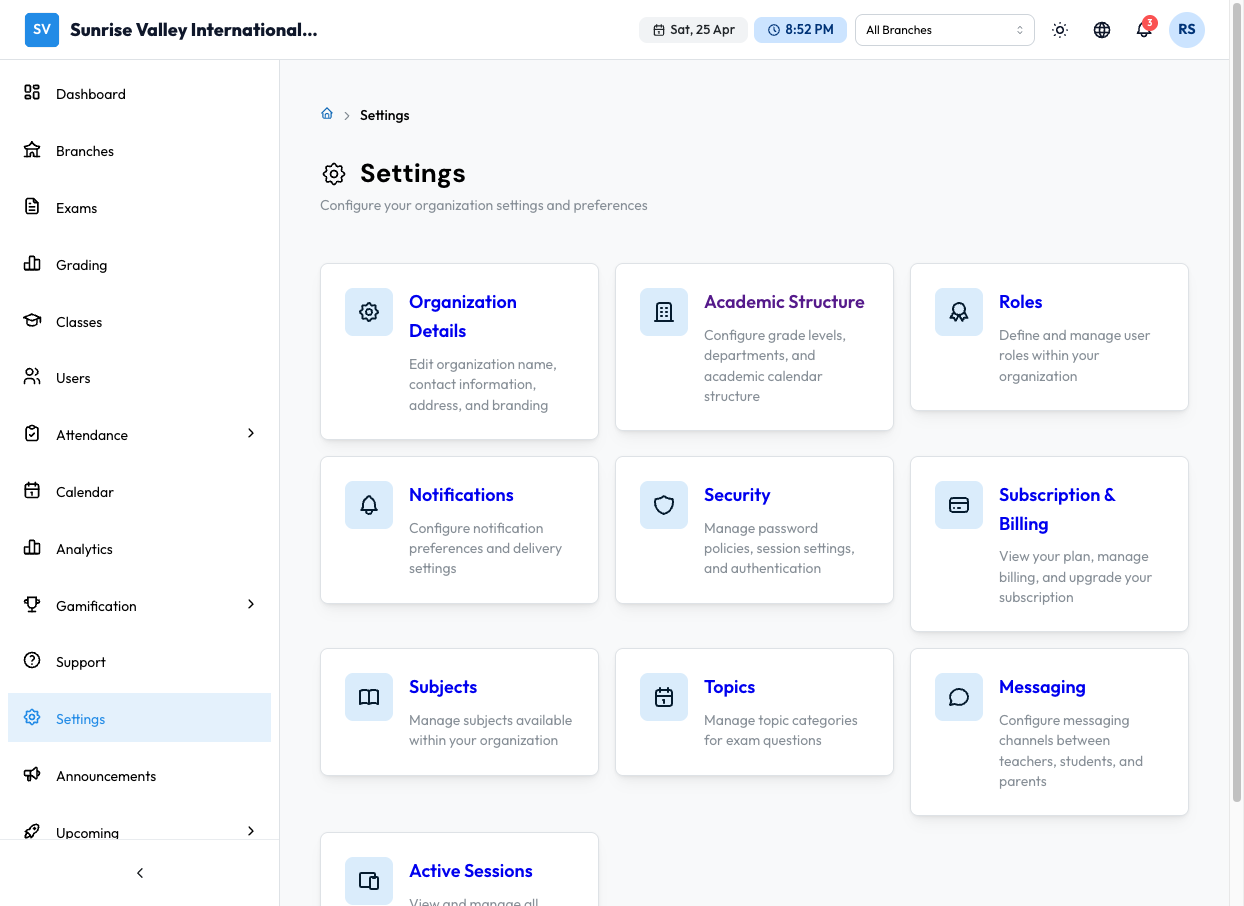
Available Settings
Organization Details
Edit your organization's name, contact information, address, and branding (logo, colors).
Academic Structure
Configure grade levels, departments, and academic calendar structure.
See Academic Structure.
Roles
Define and manage user roles within your organization.
See Roles & Permissions.
Notifications
Configure notification preferences and delivery settings — which events trigger notifications and through which channels (in-app, email).
Security
Manage password policies, session settings, and authentication methods.
See Security Settings.
Subscription & Billing
View your current plan, monitor usage, upgrade or change plans, apply coupons, and view billing history.
Subjects
Manage the subjects available within your organization (e.g., Mathematics, Science, English). Subjects are used in classes, exams, and the question bank.
Topics
Manage topic categories for exam questions within each subject. Topics help organize your question bank (e.g., "Quadratic Equations" under Mathematics).
Messaging
Configure messaging channels between teachers, students, and parents.
Active Sessions
View and manage all devices where your account is signed in.
Branch Admin Settings
Branch Admins see a limited settings view with:
- Notifications — Configure their notification preferences
- Security — Manage their account security settings